Retailers
See what leaves the stockroom.
Track cardboard, film, and food by store to focus waste-reduction efforts where they matter.
Waste tracking for your business
Track waste by material and location. See what’s changing and where to focus.
Marina Market / Receiving station
Marina Market / Overview
Marina Market / Reports
Example use cases
From a single stockroom to a busy shared property, start with the places where your teams load their carts.
Swipe to explore the examples →
See what leaves the stockroom.
Track cardboard, film, and food by store to focus waste-reduction efforts where they matter.

Connect kitchen habits to waste.
Review food scraps alongside packaging, then compare recorded waste after changes to ordering or preparation.

Keep each concession in view.
Capture waste at the concession’s loading point before carts reach a shared collection area.

Bring scattered locations together.
Compare recorded materials across dining locations and buildings to decide where to investigate first.

Make busy days easier to understand.
Review waste by location and date around games, exhibitions, and events to plan the next operational change.

See behind the guest experience.
Follow food and packaging waste across restaurants and back-of-house locations in one reporting view.
The cart workflow
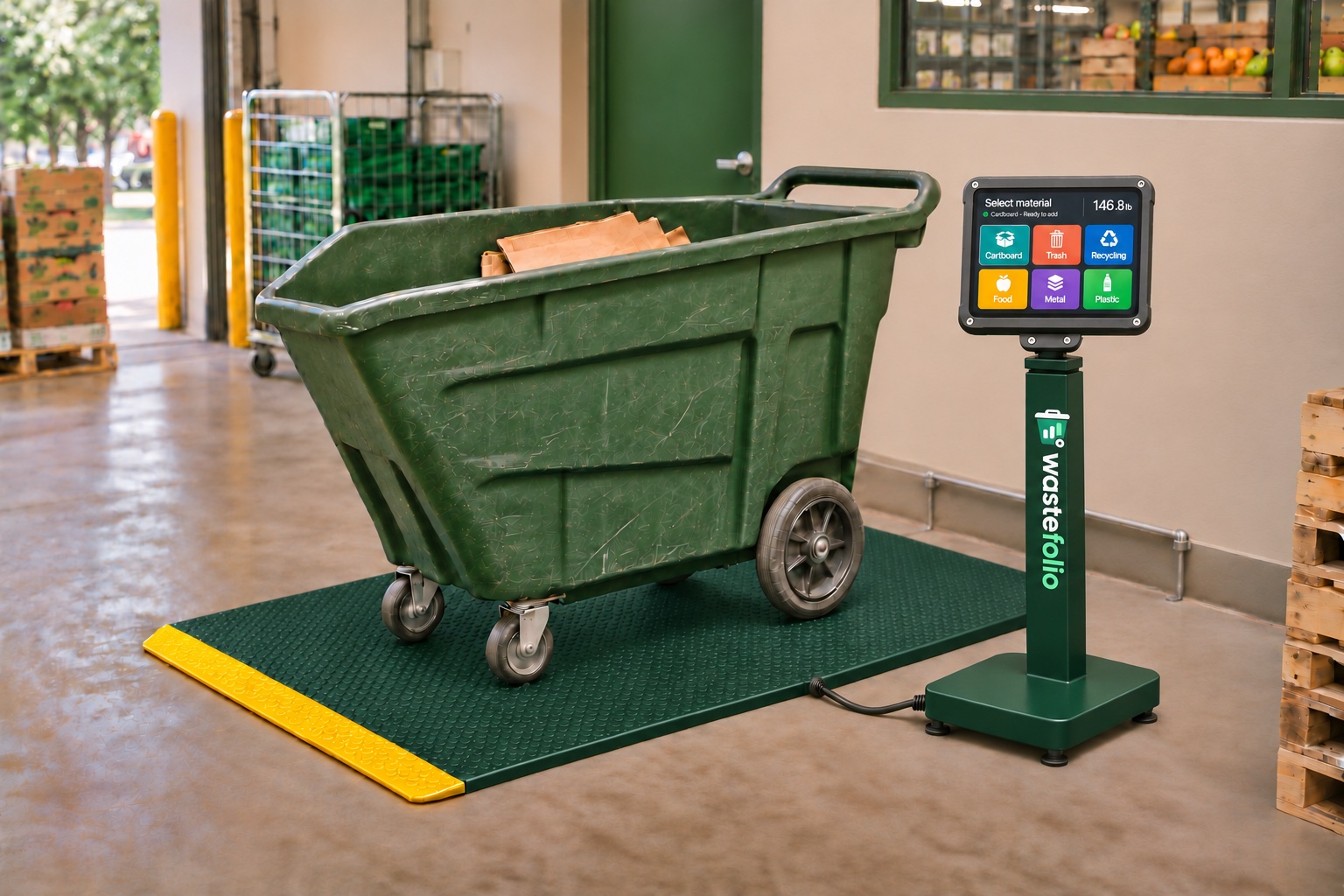
One cart. Different materials. Select each material with a button, foot pedal or tag scan as you add it, and pile it all into the same cart. Wastefolio takes care of tracking the weight of each addition.
Illustrative weighing sequence · one material per addition
The cart stays on the scale.
+12.5 lb cardboard
+4.0 lb food scraps
See how the cart’s contents accumulated, with a separate weight and staff-selected material for each deposit.
Keep each deposit connected to its originating location, even when several businesses share a collection point.
Organize food and packaging records without relying on a coded sack for every deposit. Staff select the material category.
Trace reports to individual deposits and correction history, so your team can inspect the records behind a trend.
Why Wastefolio
Understand what’s being discarded, where it comes from and how it changes. Use that visibility to focus improvements, check results and support reporting.
Compare recorded material weights across locations and over time. Keep each deposit connected to its source, so your team knows where to investigate purchasing, packaging or handling practices.
Compare recorded waste before and after an operational change. Review the results alongside business activity to see whether the change helped.
Export dated records by material and location. Trace totals to individual deposits and correction history, so your team can explain the numbers it shares.
For example, a rise in cardboard could prompt a packaging review; a change in recorded food waste could prompt a review of ordering or preparation. Categories are selected by staff; records show weight, not detailed contents or causes.
Records you can inspect
Follow a material trend back to dated deposits by location, station and cart. Review corrections and export the filtered records, so the next conversation starts with evidence.
Explore the reporting app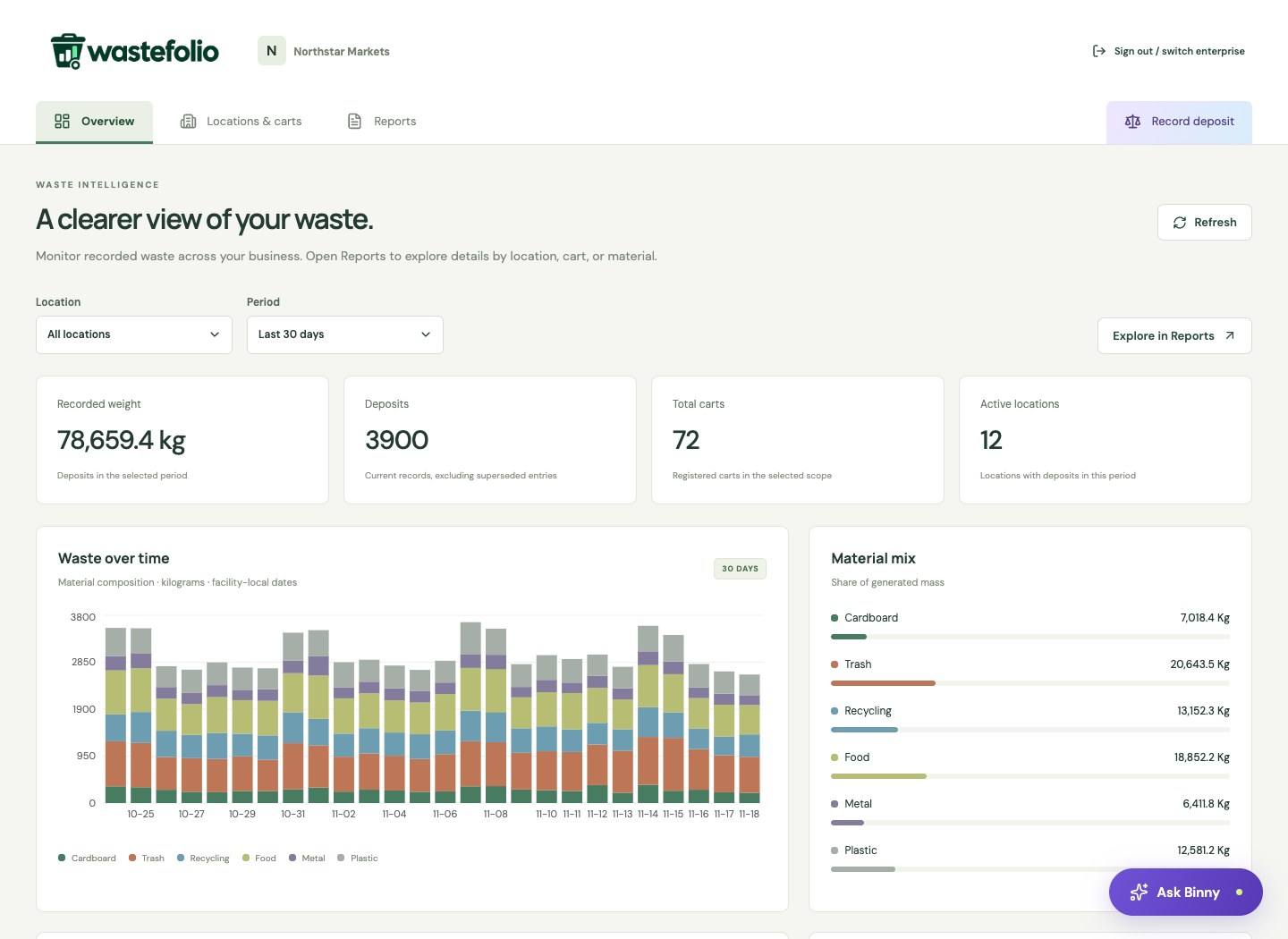
Fits your space
A compact station with a scale and touchscreen fits into your existing space—bringing real-time insights straight to your dashboard.
See how Wastefolio can organize your materials, locations and records. Tell us what your team needs to understand.
Explore the reporting app